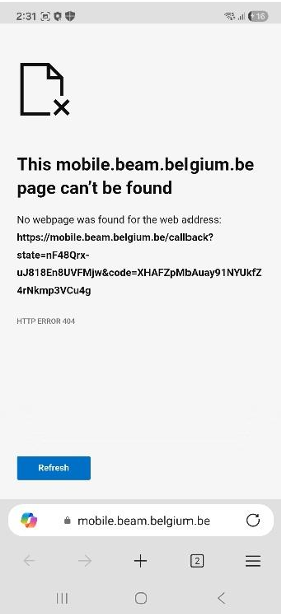
Registration problem in Beam with mobile browsers
Registration or login via Beam fails when Chrome or Firefox on Android or Safari, Chrome, or Firefox on iOS is not set as the default browser. Beam uses browser-based verification links and deep linking that only work reliably through the supported mobile browsers.
Solution
Temporarily set a different browser, and then try to register again. Once registration is successful, you can set your preferred browser as the default again.
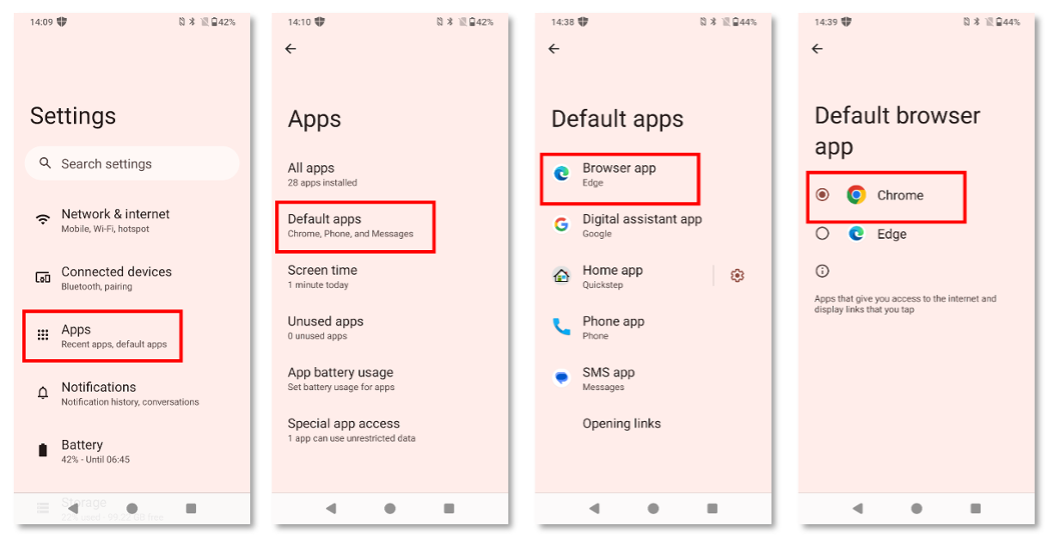
How to change the default browser on Android
- Go to Settings
- Open Apps
- Select Default apps
- Select Browser app
- Set Chrome or Firefox as the default browser
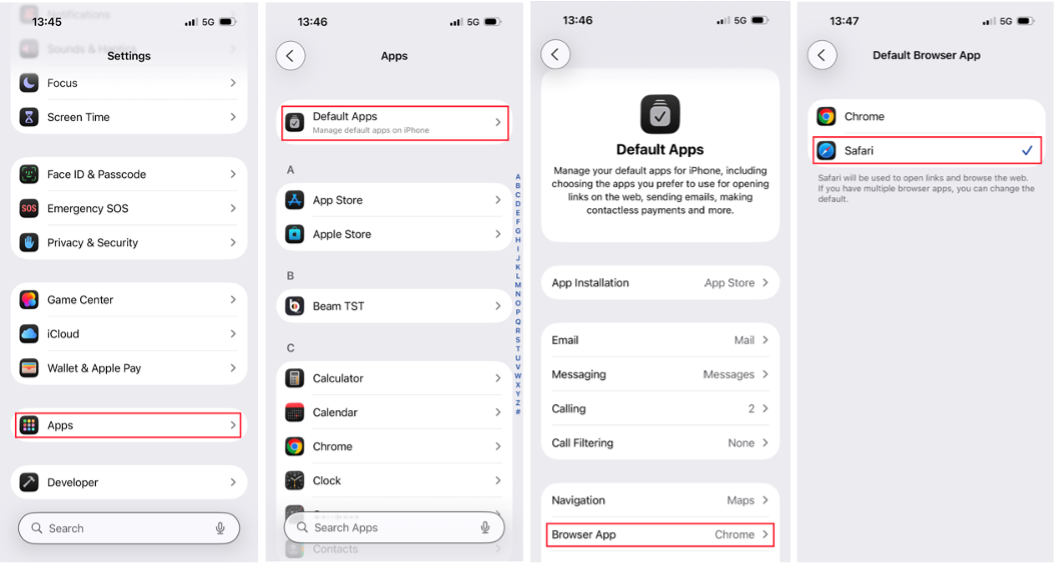
How to change the default browser on iOS
- Go to Settings
- Open Apps
- Select Default apps
- Select Browser app
- Set Safari, Chrome, or Firefox as the default browser