How to Delete Your Beam Account
You can easily and completely delete your account from the Beam application.
 Important: This process is irreversible. Once your account has been deleted, you cannot regain access to your data in any way.
Step-by-step guide
-
Open the Beam app on your smartphone.
-
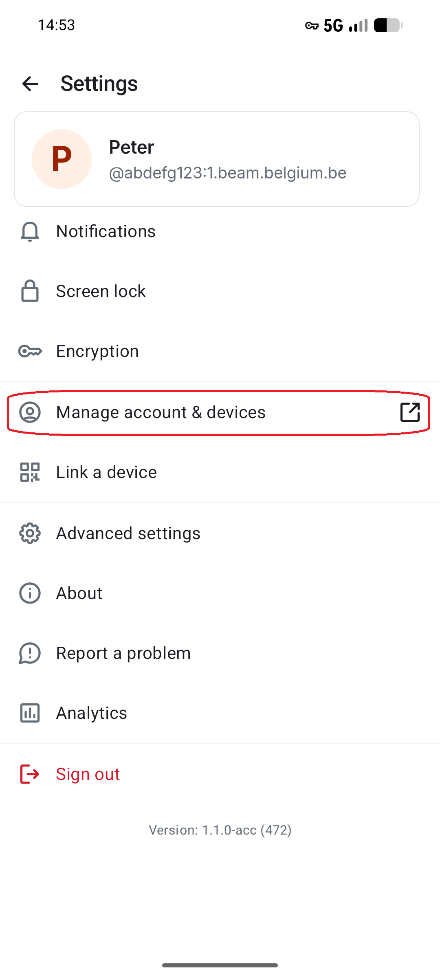
Click on your profile icon and select Manage account & devices.
-
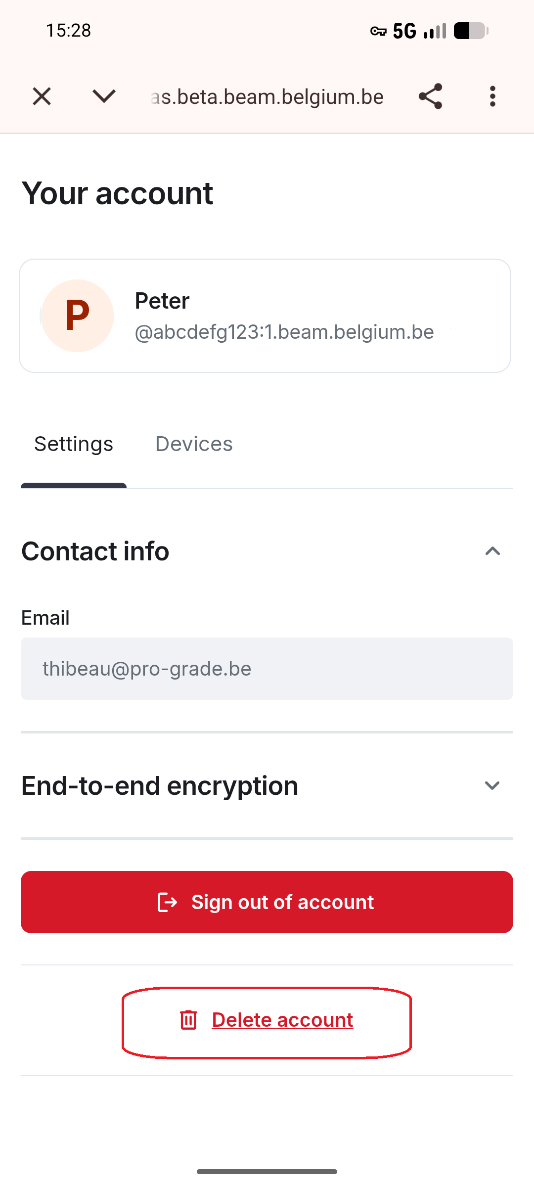
Select Delete account.
-
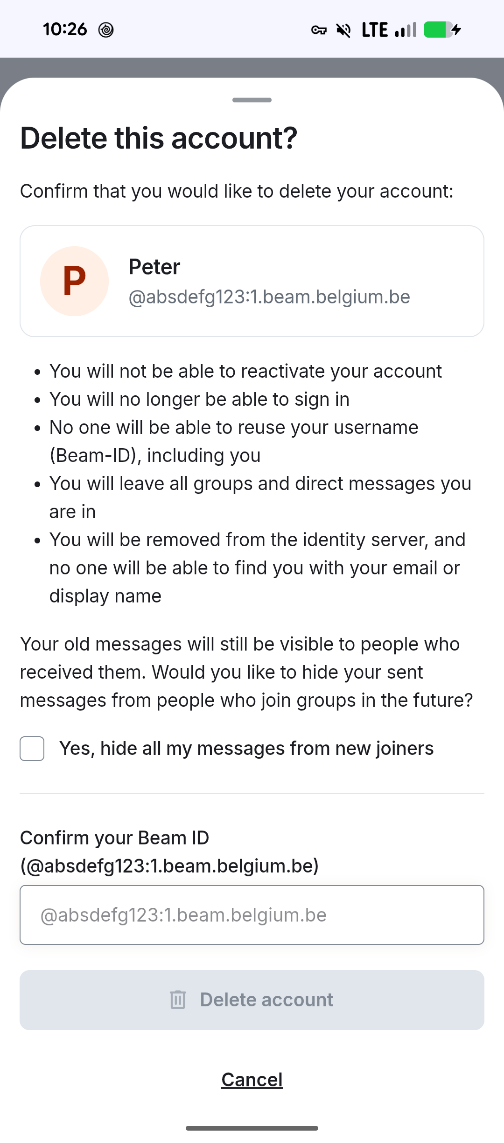
Confirm your Beam ID and select Delete account.
-
Your account is now deactivated.
Important to know
- Upon deactivation, you are automatically signed out of all devices.
- You cannot sign in again.
- Your user data is deleted (message history and conversations). Current members of conversations with you will still be able to view your message history. New members in conversations where you were involved may also read your messages, unless you chose to hide your messages from new participants when deleting your account.
- No new messages will be received by you.
- You must contact Beam support again before a new account with the same email address can be created.