How to start a room
Android/iOS
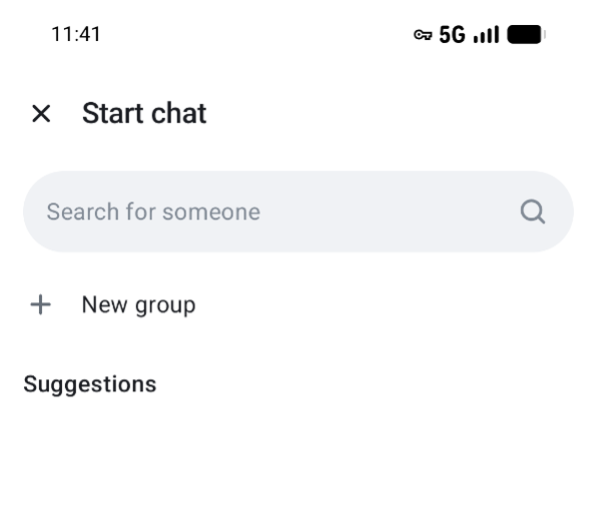
- In Beam, tap
 to start a new group.
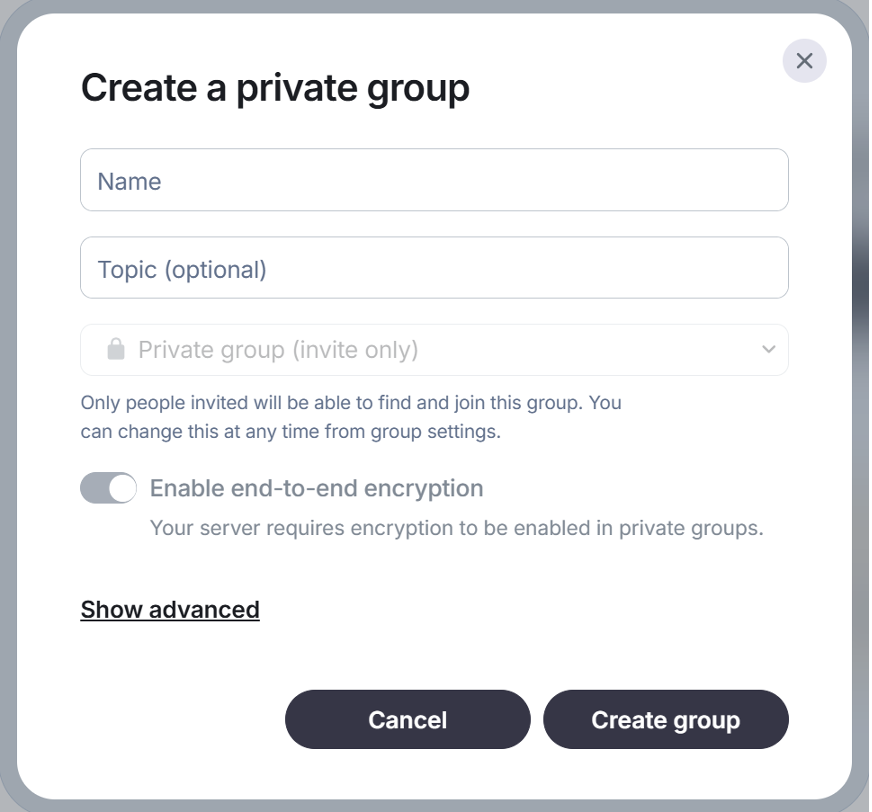
- In Create a private group you can give a name to the group.
- You can Add a topic to help people know what it is about.
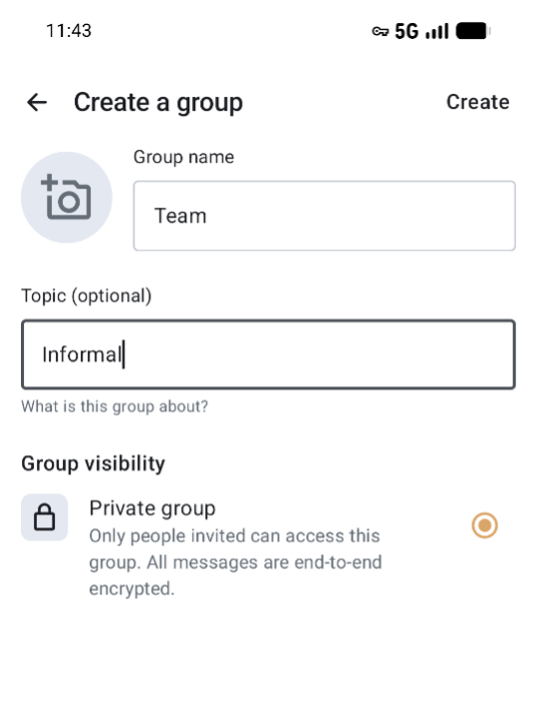
- Tap on Create group to start the group.
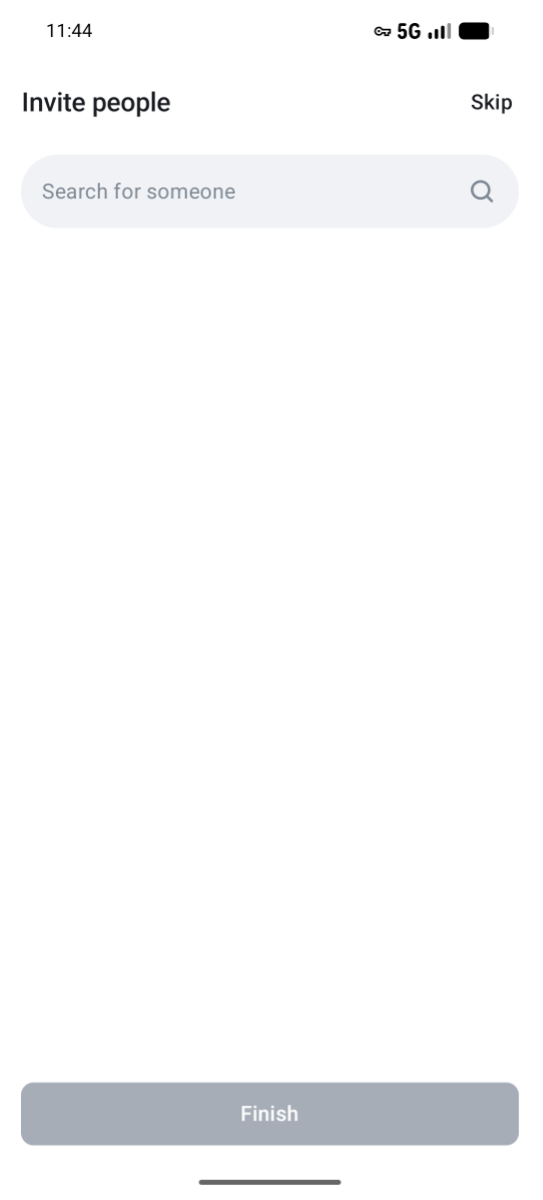
- Invite people and tap Finish
Web version
- In Beam, tap
 and
and  New group to start a new group.
 - In Create a private group give a Name to the group and click Create group. You can Add a topic to help people know what it is about.
- Invite people by clicking on

How to leave a Group
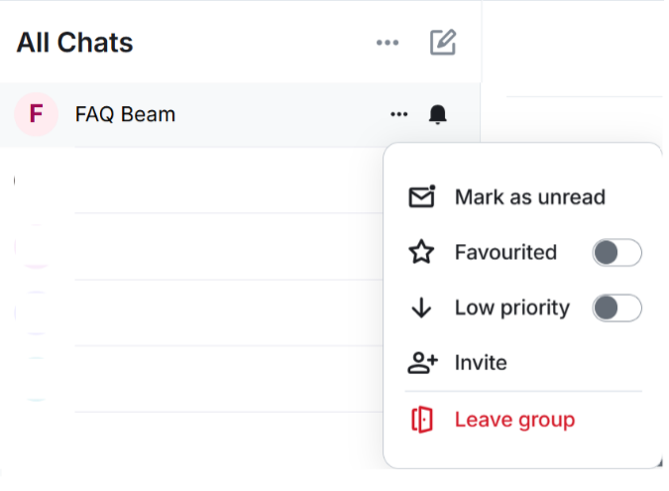
Press and hold the group and select Leave group.
Web version
Android/iOS
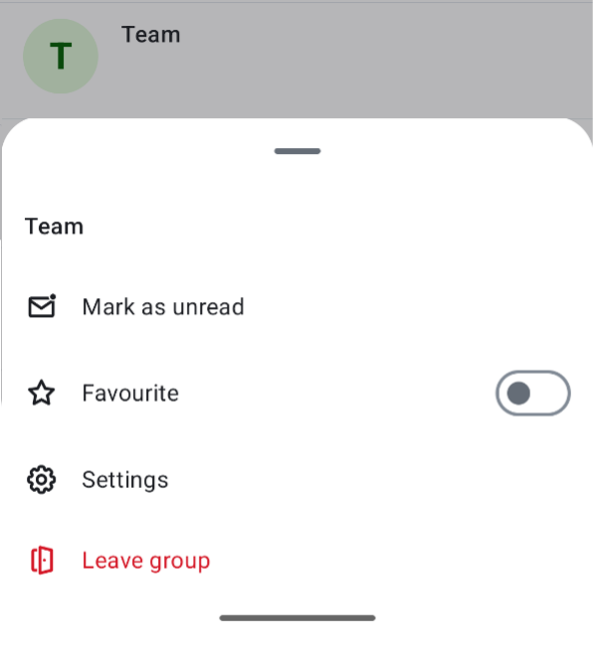
Please note! The person who creates the group is the group administrator. If you want to leave the group as administrator, you must first designate another person as administrator of that group. More information about this can be found in the Roles & Permissions section.
Roles & Permissions
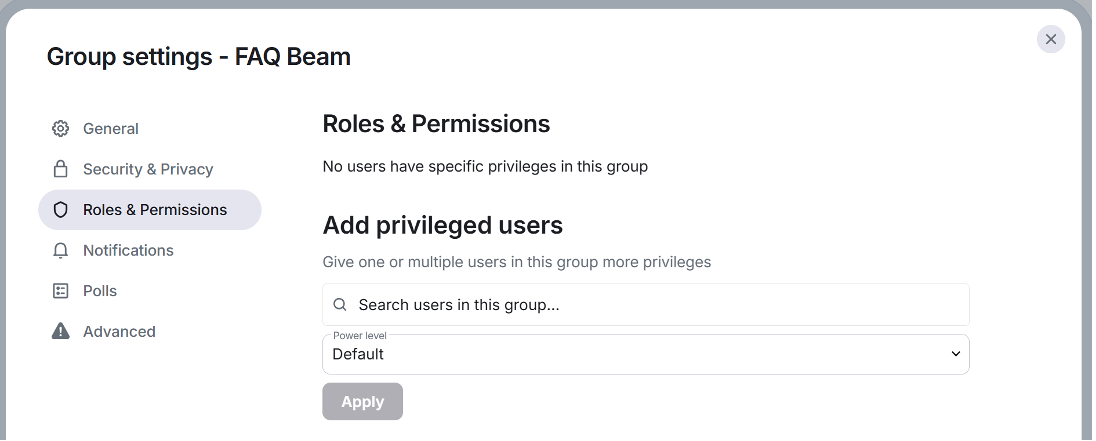
U can assign a person in the group as administrator or moderator of a group.
To do this, tap  group information and then
  Settings.
Under  Roles & Permissions and Add authorized users, you can designate a member of the group as an administrator or moderator.
How to address 1 person in a Group?
Start you message with @ followed with the Name of the person you want to address. The person in question will receive a notification with his name if that person has his notification settings turned on.
If you need assistance with Beam, contact your organization's IT support team or visit our comprehensive help documentation.