Reset Beam Identity
If you cannot confirm your identity because you do not have another verified device and no recovery key, then you must reset your identity.
- Your account details, contacts, preferences, and group lists will be kept.
- You will lose all message history.
- You must re-verify all your existing devices and contacts.
 Note: Only reset your identity if you do not have access to another logged-in device and you have lost your recovery key.
Reset Identity Step-by-Step Guide
-
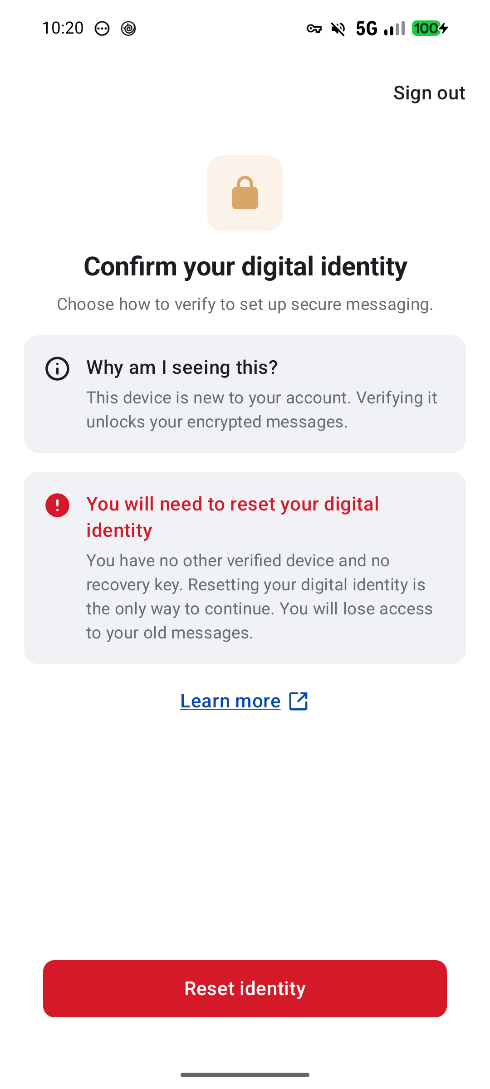
Click Reset Identity.
-
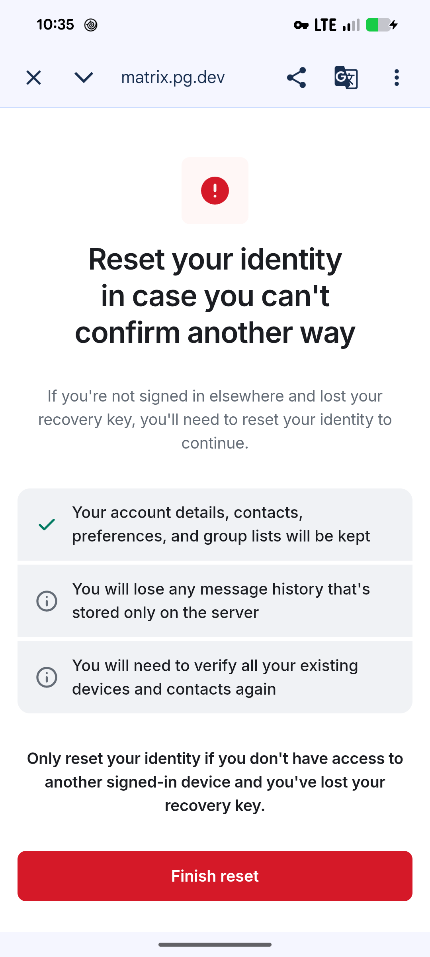
Click Finish Reset.
-
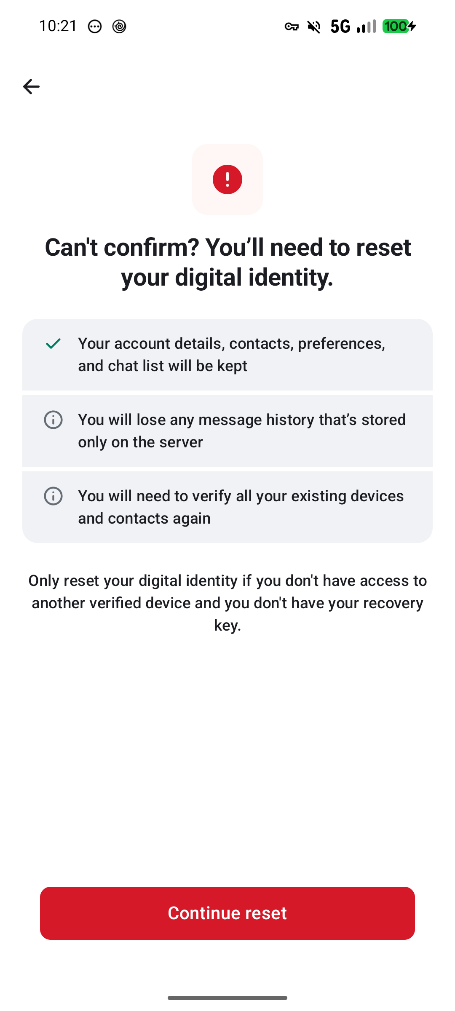
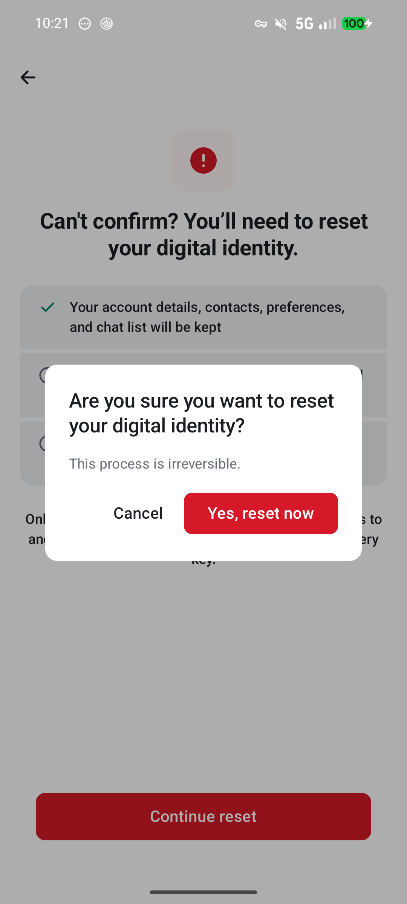
Click Continue Reset.
-
Confirm that you want to reset your identity and click Yes, Reset Now.
-
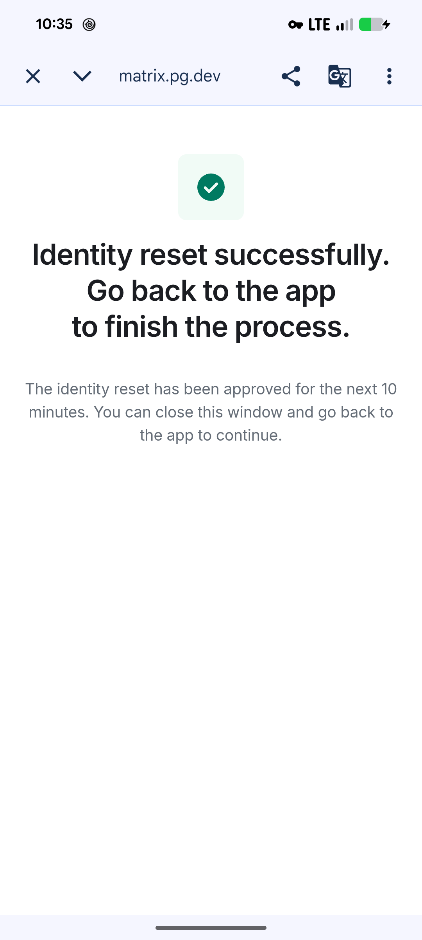
Your identity has been successfully restored. Close this window via the cross icon above.
-
Create a new recovery key: Creating the recovery key in Beam.
What actions need to be taken after an identity reset?
When receiving a notification of an identity reset of a correspondent, it is advisable to contact your contact person via another channel (this could be email/phone or personal contact) to verify if the identity of your contact is still intact.
If you need help with Beam, please contact your organization's IT support team or visit our extensive help documentation.